Netis WF2412 WIFi Router Repeater Mode Configuration
February 2, 2019 by Kumar
Use your older Netis wifi device to increase wireless signal without buying a range extender. read the full post to know Netis WIFi Router Repeater Mode configuration with different brand wifi AP.
Netis WF2412 WIFi Router Repeater Mode Configuration
Netis WF2412 is a 150Mbps wireless router with 4LAN and 1 WAN port. It is a mini Wi-Fi router for small home and office Wi-Fi. Repeater mode not only improves the wifi signal but also the best way to utilize your laying old WiFi routers. Netis WF2412 Support AP, Repeater, Client and WISP mode. If you have old Netis wifi router, not in use can be used for wifi signal boost without investing money for the wireless range extender. Instead of buying range extender use the old model wifi router in reader mode to improve WiFi signal connectivity. Repeater mode only required the power on and internet gets from wireless connection with Main AP device.
The Best Way to Boost Your Wi-Fi Speed Up to 10x [Tricks]
Netis WF2412 WiFi router Connection for Repeater
To use Netis Wi-Fi router as repeater mode required to configure using web interface. To access netis settings page required a physical connection.
To connect the Netis wifi router connect the LAN port to Laptop or PC LAN.
Connect the Power adapter to power socket and power on the device.
PC/Laptop LAN IP settings.
Netis default IP – 192.168.1.1
Username- NA
Password- NA
Use the 192.168.1.10 IP to PC or Laptop LAN IP Address to access netis wifi router.
See here how to configure PC LAN IP Address
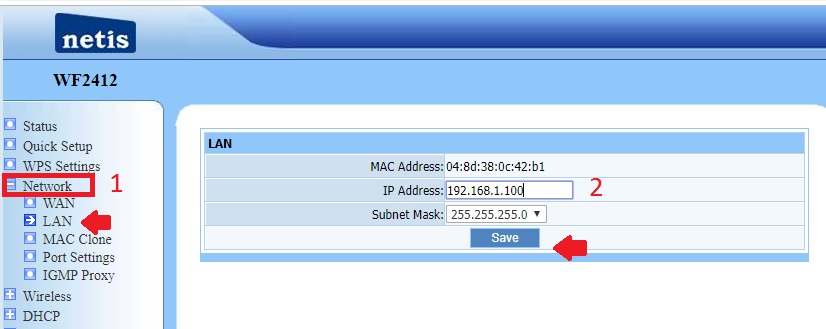
Netis Wireless router LAN IP Change.
Before configuration repeater mode IP address should be change because Netis router default IP is 192.168.1.1 which is common for many brand wireless router.
To avoid IP conflict change the default IP Address before connecting to Host AP to netis repeater.
1: Go to Network- LAN
2: IP Address- Change the IP Address here.
Press Save button and reopen with change IP Address.
Netis WiFi Router Repeater Mode Settings
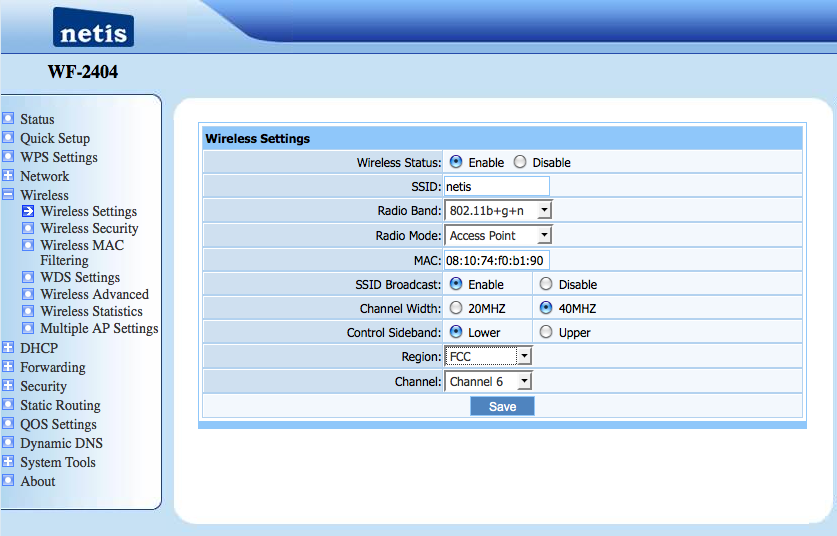
To change Repeater mode in Netis wifi device find the repeater mode inside wireless option.
1: Go to Wireless- Wireless Settings
3: Radio Mode- Click Down arrow and choose the repeater mode from list mode.
Press the save button.
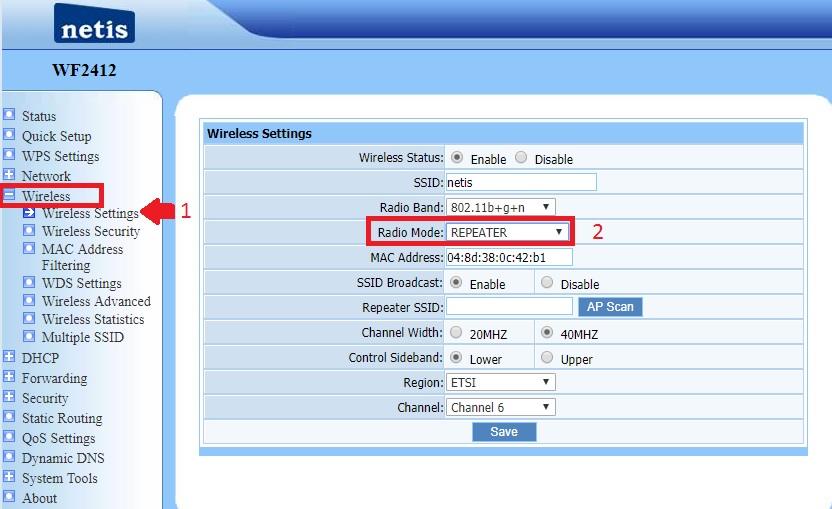
Connect Netis Repeater to Main WiFi Router
After changing repeater mode press the AP Scan button to search your host WiFi name.
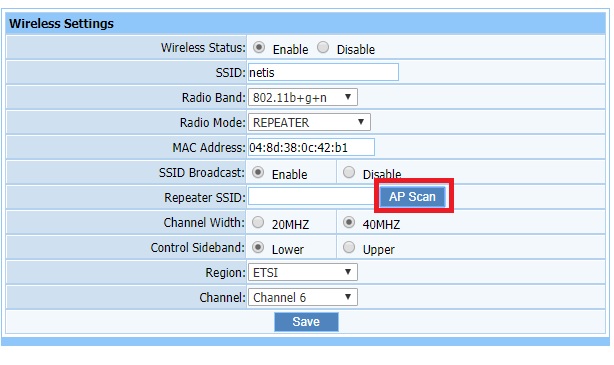
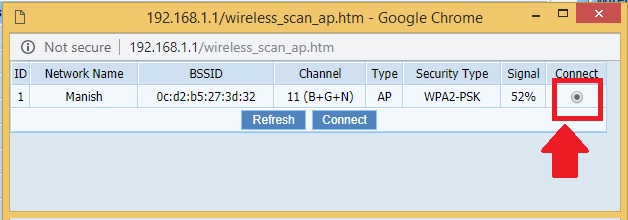
Select the Host AP WiFi Name
After AP scan you will get the list of al WiFi SSID running near your repeater device.
Find your main Wi-Fi name from the list and choose and press connect button apply.
Set Repeater WiFi name
1: Type the WiFi name for Repeater in this box. ( you can use the same SSID as given to the main WiFi network or also can be different as shown below image.
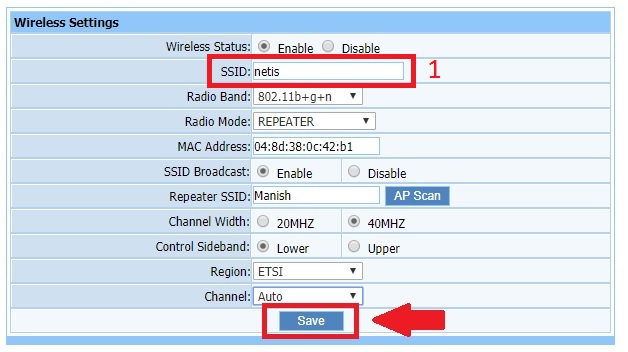
Once your main AP selected Press the Save button to connect repeater.
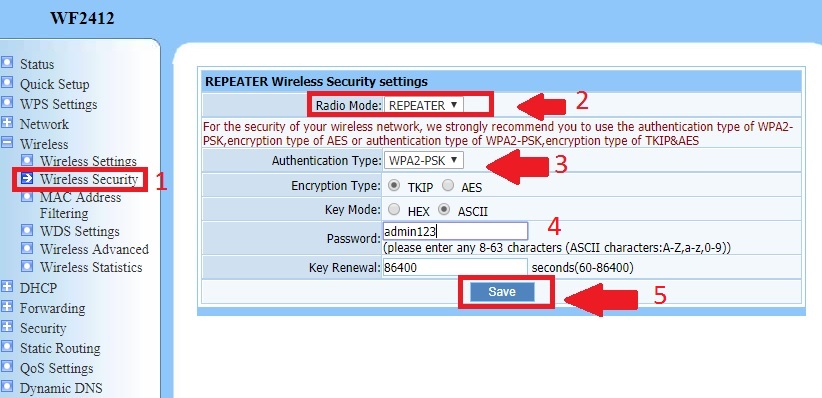
Security setting for Repeater configuration
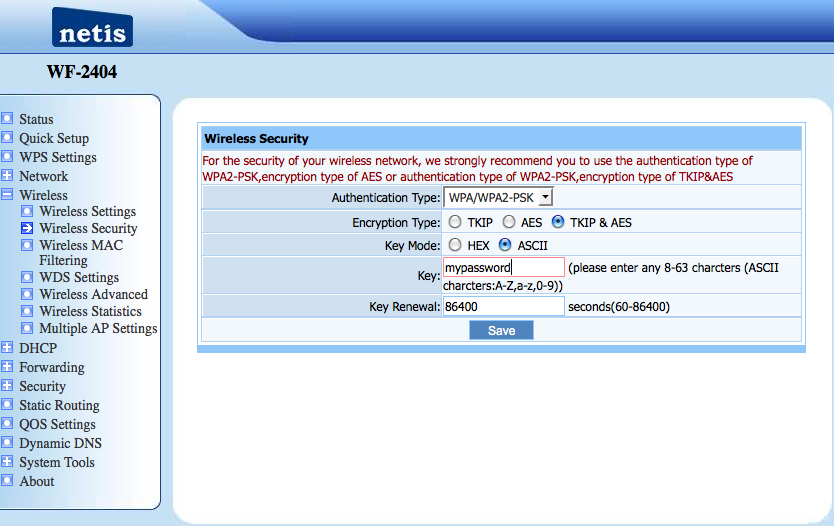
To connect Repeater mode to main AP security must be provided to authenticate.
Netis security settings follow the steps.
1: Go to Wireless Security–
2: Select Radio mode for security settings- Repeater.
3: Encryption type- select the encryption type used in Main AP.
4: Password– type the main AP password to connect from Repeater device.
5: Press the save button to apply settings
Once device settings save you can check connection in the status page.
موضوعات مرتبط: تنظیمات مودمNetis